
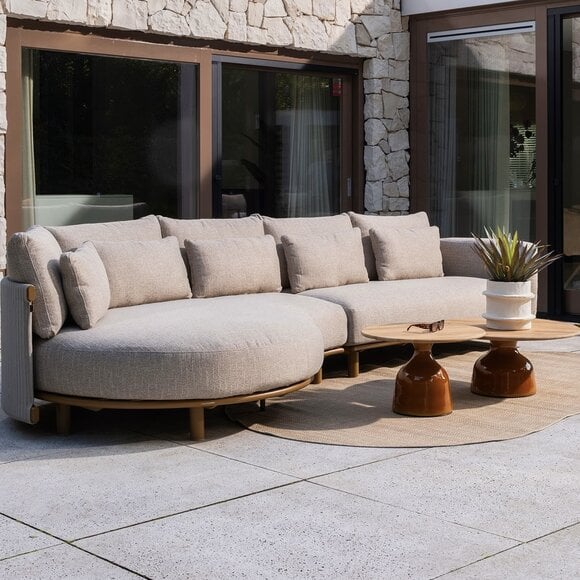
 Illustrative preview
Lounge set in the garden
★★★★★ 5/5
Your customer shares their product experience here, together with their own photo or video.
Your product. A visual experience.
For online stores and their agencies
Try free for 14 days
Collect photo and video reviews through your orders. Show how customers use your products and build a library of real customer content for your store and marketing.
Try free for 14 daysFind or create your company page. Verify your business, then activate your portal account.
For new accounts after verification and activation. View conditions and the end date in your portal.
See a review example
Bring product experiences to life
Combine a rating with a photo of the product. Visitors see more than a score: its appearance, scale and use.
This is an illustrative preview using an AVH collection image, not a submitted customer review.
How to start collecting ↓Illustrative previewLounge set in the garden
★★★★★ 5/5
Your customer shares their product experience here, together with their own photo or video.
Your product. A visual experience.More than stars alone
A customer photo shows how your product looks and is used. Combine those images with experiences and ratings on your product page.
Connect WooCommerce, BCC (email) or API. Schedule invitations from the portal and follow incoming photo and video reviews.
Use customer content for your store and campaigns within the recorded permission. Your agency can use it to strengthen product presentation and marketing.
Shop the Look
Make your customer photos clickable. Place hotspots on pictured products and tag your own catalog. Do it yourself or use AI suggestions. Visitors discover the product and click through to your store.
Explore Shop the Look
AVH OUTDOOR × IMAGE REVIEW
At AVH Outdoor, the review journey starts with the existing order email. A BCC connection brings orders into Image Review. Invitations are scheduled and incoming product reviews are managed in the portal.
This creates a consistent path from an order to a visual product experience. The team keeps an overview and can cancel scheduled requests for an individual order.
Download the full AVH caseAn implementation case covering setup and workflow. A conversion uplift has not yet been established.
Existing order email with a BCC copy
Scheduled from the portal
The customer shares their experience
Manage content and usage permissions
Your starting point
Find your existing company page or create one. Your registration starts with the right business.
Enter your contact details and follow the verification steps. After confirmation, you receive access to activate your portal account.
Activate your account, connect orders and configure invitations. View your trial and then choose a suitable plan in the portal.
A clear start
Start with your company page. Compare monthly plans below and choose what fits your usage in the portal.
Ongoing free plan
€0 per month. Product review requests and order connection included, including BCC/API. Company page editing is not included.
Free is separate from the temporary trial. Need more orders or company page editing? Explore the paid plans below.
€49.00/ month
Excluding VAT
200 orders per month€89.00/ month
Excluding VAT
500 orders per month€149.00/ month
Excluding VAT
1,000 orders per monthShop the Look during your active trial: manual product tagging, AI product recognition and AI post proposals with no monthly quota. One shared AI allowance.
These base plans cover invitations through the plugin or portal. Multiple products and reminders do not count extra per order. Separate order packages are available for higher BCC/API volumes. Check available options and the total cost when selecting that connection.
Good to know
The trial is for new accounts after verification and activation. Your portal shows eligibility, included features and the end date. Check your account’s BCC/API allowance in the portal. An existing trial does not restart.
Select your existing company page during signup. There is no need to create another page. Then verify that you can act on behalf of the business.
Your application starts with the company page, followed by verification and separate account activation. A listed page alone is not a verified owner account.
For custom stores, we assess the BCC/API order connection and widget placement. Required data and setup depend on the store.
Only use images with appropriate recorded permission and within its scope. Publishing a review does not automatically grant permission for advertising.
Your product. Their experience.
For agencies: explore the workflow and opportunities in the AVH case. Download the case